Infected Systems Controlled Through Remote Administration Tools – Detected by EDR (2)
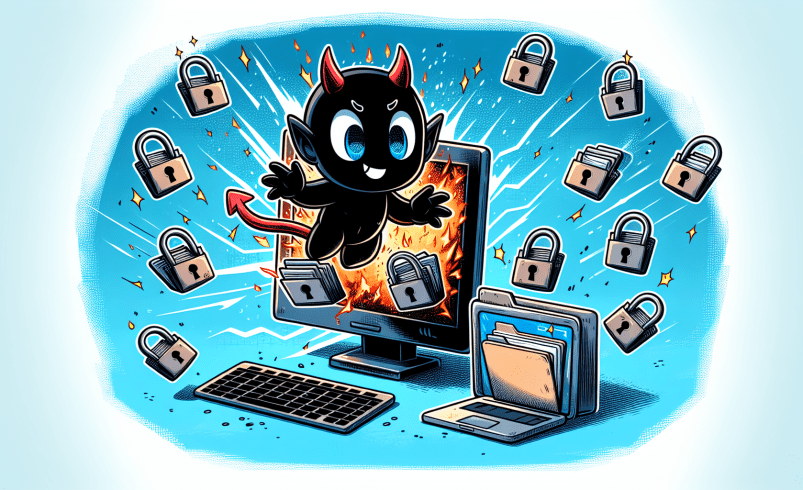
Remote administration tools, also known as RAT, are software that provide the ability to manage and control terminals at remote locations. Recently, there has been an increase in cases where remote administration tools are installed instead of backdoor malware during the initial access or lateral movement phases to control the target system.
This is an intentional tactic aimed at bypassing firewalls and detection, as anti-malware products face limitations in simply detecting and blocking these tools, unlike typical malware. As a result, threat actors are exploiting this weakness, making it essential to utilize EDR solutions to monitor and respond to suspicious activities in preparation for such attacks.
AhnLab Endpoint Detection and Response (EDR) is a next-generation threat detection and response solution, providing powerful threat monitoring, analysis, and response capabilities for endpoint areas based on Korea’s self-behavior-based engine. AhnLab EDR continuously collects information related to suspicious behaviors to allow the user to precisely perceive threats from a detection, analysis, and response perspective and identify causes, respond with appropriate measures, and establish processes to prevent threat recurrence.

Figure 1. AhnLab EDR product
In the AhnLab SEcurity Intelligence Center (ASEC) blog post, “Infected Systems Controlled Through Remote Administration Tools – Detected by EDR” [1], cases were discussed where AhnLab EDR detected
remote administration tools used by threat actors to control infected systems. The post primarily covered frequently abused tools such as AnyDesk, NetSupport, and Chrome Remote Desktop. This article, however, will focus on additional cases of abuse involving remote administration tools like GotoHTTP and RustDesk, as well as detection methods using AhnLab EDR.
1. GotoHTTP
While monitoring attacks targeting improperly managed MS-SQL servers, ASEC identified a case where an unknown threat actor installed GotoHTTP following their initial access. Typically, such attacks predominantly involve the use of AnyDesk. However, since the second half of 2024, cases involving the installation of GotoHTTP have also been observed. [2]
GotoHTTP, like other remote administration tools, provides remote screen control capabilities. Once GotoHTTP is installed on an infected system, the threat actor can remotely control the system if they obtain the “Computer ID” and “Access Code”.

Figure 2. Remote control using GotoHTTP
AhnLab EDR detects the execution of GotoHTTP on a system as a threat, helping administrators identify it in advance.

Figure 3. Detecting GotoHTTP execution behavior using AhnLab EDR
2. RustDesk
RustDesk is an open-source remote administration tool that provides various features such as file transfer and remote desktop, similar to AnyDesk. A threat actor can control an infected system with RustDesk installed by using the ID and password visible during the execution process. RustDesk was reportedly used by the Akira ransomware threat actors during their operations. [3]

Figure 4. RustDesk remote administration tool
AhnLab EDR detects the execution of RustDesk on a system as a significant activity, enabling administrators to identify it.

Figure 5. Detecting RustDesk execution behavior using AhnLab EDR
3. Atera
Atera is also a tool exploited by various threat actors, and it is often used by ransomware groups such as BlackSuit(Royal) [4], ALPHV/BlackCat [5], and Hive [6]. Of course, in addition to being used during lateral movement and control hijacking, it can also be utilized during the initial access phase. For instance, there are cases where it is installed via an LNK file disguised as a PDF document. A notable characteristic of the installation process is the inclusion of an email address specified by the threat actor.

Figure 6. Threat actor’s email address identified during the installation of Atera
AhnLab EDR detects the installation and operation of Atera on a system as a threat, allowing administrators to identify it in advance.

Figure 7. Detecting Atera Agent installation behavior using AhnLab EDR
4. ConnectWise ScreenConnect
ScreenConnect, similar to Atera, is a remote monitoring and management (RMM) tool frequently used by ransomware threat actors and is often employed alongside Atera in attacks. Notable ransomware groups include ALPHV/BlackCat [7] and Hive [8]. Additionally, there are cases of exploitation by APT groups.
AhnLab EDR detects the installation and operation of Atera on a system as a threat, allowing administrators to identify it in advance.

Figure 8. Detecting ScreenConnect execution behavior using AhnLab EDR
5. Conclusion
Recently, there has been an increase in the number of cases where threat actors installed remote control tools to control targets systems instead of installing additional malware strains such as RATs and backdoors. Remote administration tools are legitimate software that can be used to control or manage terminals at a remote location.
By installing remote administration tools in a target system, the threat actor was able to simultaneously obtain control over the system and bypass anti-malware security products. This is because there are limits to anti-malware products simply detecting and blocking remote administration tools which are perfectly normal.
Even when users use remote administration tools for normal remote control purposes, AhnLab EDR collects and provides related data to allow administrators to recognize and respond to suspicious behaviors. Also, when remote administration tools are installed under suspicious circumstances, such behaviors are detected as threats to enable administrators to identify the cause, make adequate responses, and establish recurrence prevention processes.
Behavior Detection
– Execution/EDR.GotoHTTP.M12139
– Execution/DETECT.RustDesk.M12042
– Execution/EDR.Atera.M11764
– Execution/EDR.ScreenConnect.M11766